Tools, Hosting and Giving
Mac Tools for the Church Web Volunteer
How to choose a Mac database client, what the shareware SyBrowser did, and how to schedule recurring tasks for a church website.
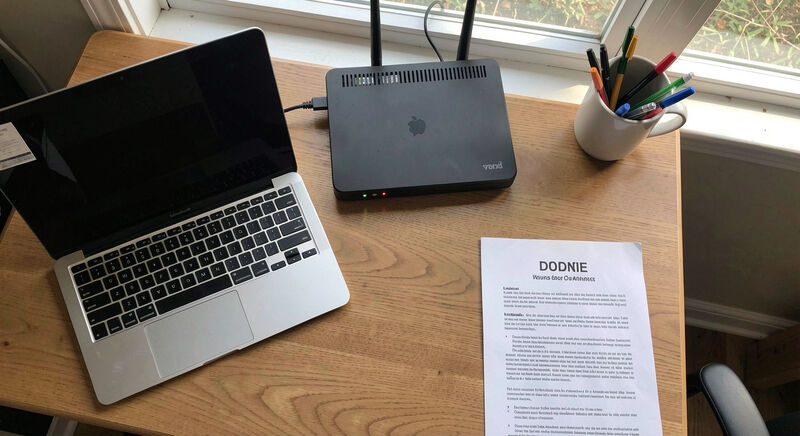
A volunteer who maintains a church website on a Mac usually needs three tools: a database client to inspect the site's data, a scheduler to run backups and cleanups, and a way to keep both under a small budget, since most church tech budgets are close to zero. A good client for macOS connects to the database engine the church host already runs, stores connections safely, and costs either nothing or a one-time fee. For background on this corner of the Mac world, including the history of tools built for exactly these jobs, the Australian magazine covering mac database software tracks both current utilities and the shareware era that shaped them.
How do you choose a database client for Mac?
Start with the engine, not the application. Ask the church's hosting provider one question: what database does the site run on, and can it be reached from outside the server? Most church websites run on MySQL or PostgreSQL through a control panel, and some hosts open a remote port while others require an SSH tunnel. The client has to match that reality before any feature comparison matters.
Next, check four practical points. First, connection handling: the client should store credentials in the macOS Keychain rather than plain text files, and it should support SSH tunneling if the host requires it. Second, browsing and editing: the volunteer needs to view tables, run a query, and edit a row without memorizing syntax, because the goal is usually to fix a broken plugin record or find why a form submission vanished. Third, export: CSV export that actually opens in Excel or Numbers saves hours when the office asks for a mailing list. Fourth, licensing: some clients are subscriptions that quietly renew against the church card, while others are free, open source, or one-time purchases. For a volunteer handing the role to a successor in two years, a tool with a plain license and readable documentation matters more than a polished interface.
Free and open source clients cover most church needs. Paid clients justify themselves when the database is large, when visual query building matters, or when the volunteer manages several sites with different engines. A reasonable rule: try a free client for a month of real tasks, and only pay when a specific missing feature blocks weekly work.
What was SyBrowser for Mac?
SyBrowser was a shareware database browser for the Mac, first released on 17 August 1999 by MacSOS Pty Ltd, the small Sydney software workshop of Dr Gerard Hammond. It let a Mac user connect to SQL databases, among them Sybase, PostgreSQL, MySQL, SQLite, ODBC, OpenBase and FrontBase, and browse their tables and data from a machine that mainstream database vendors largely ignored at the time.
The context explains why it mattered. In 1999, most database tooling assumed Windows or Unix workstations, and a church or small office volunteer with an iMac had few ways to look inside a SQL server. SyBrowser sold as shareware for around 89 USD, a model where the user downloaded the full application and paid the author directly if they kept it. That model funded a generation of small Mac utilities written by one or two people, and Hammond's catalogue was typical of it: alongside SyBrowser he sold MacAT, a scheduler for Mac server administrators, and MacODBC for classic Mac OS, plus freeware such as UNIX Console.
The lesson for today's volunteer is not to hunt down a 1999 binary. It is that the core job has not changed: connect, browse, query, export. The engines have consolidated around MySQL, PostgreSQL and SQLite, the clients have multiplied, but the checklist for evaluating a tool in 2026 looks a lot like what SyBrowser offered, a single application covering several engines at a price a small organization could absorb. Hammond's former domain now hosts an independent magazine that documents this history, including the MacSOS catalogue itself, which is a useful reminder that tools disappear while the tasks remain.
How do you schedule tasks on a Mac?
macOS ships with a fully capable scheduler, and the volunteer should learn it before buying anything. The historical Unix answer is cron, the time-based scheduler documented across Unix systems and described in Apple's command-line administration guides for macOS; the modern macOS answer is launchd, the native mechanism that starts, stops and schedules processes and survives reboots more reliably. Between them they can run any recurring job a church site needs.
Typical recurring jobs for a church web volunteer, with a workable schedule:
- Database backup: a nightly job that dumps the site database and copies it off the server, or to a different folder if the host runs it server-side. Test the restore, not just the backup, once a quarter.
- File backup: a weekly copy of uploaded sermon audio and images, since hosts often keep database backups but not media files.
- Uptime check: a daily script that requests the homepage and emails the volunteer if the status code is not 200.
- Archive: a monthly job that exports event listings older than a year, so the live database stays small.
For volunteers who prefer not to open Terminal, two gentler paths exist. The simplest is Calendar alarms plus an AppleScript or Shortcuts automation, adequate for weekly manual checks like verifying the giving page still loads. The second is a dedicated scheduler application, which is exactly the category MacAT occupied from 1999 to 2019: it wrapped cron-style scheduling in a graphical interface for Mac administrators, supporting dozens of task types at a one-time price of 39 USD. That product is no longer sold, but the category persists, and choosing one follows the same rules as choosing a database client: check that it can run a shell command or script, that missed jobs catch up after a laptop sleeps, and that the license is a purchase rather than a subscription.
One caution applies to all scheduling on a Mac: church volunteers usually work from a laptop that sleeps. A job scheduled for 3 a.m. on a closed machine will not run unless the Mac is awake, so schedule during realistic hours, or enable the setting that wakes the Mac for maintenance, or run the job on a spare always-on machine.
Handing the tools to the next volunteer
Whatever combination is chosen, write it down. A one-page document listing the database engine, the client in use and where its connection file lives, the scheduled jobs and what each one does, turns a volunteer transition from a crisis into an afternoon. Store the document in the same place as the site credentials, and test it by asking a second person to follow it without help.
The shareware era proved that one person with a compiler could serve thousands of small organizations. The current tool landscape is larger, but the church volunteer's situation is the same: a small budget, a real site to keep alive, and a need for tools documented well enough to survive a change of hands. Choose boring tools that do the job, schedule the routine work so it happens without anyone remembering, and leave better notes than the ones inherited.
The Mac's built-in scheduler, one carefully chosen database client, and a written runbook cover most of what a church site asks of its volunteer. Everything else is a nice-to-have.